
Product cards, discount codes and invoices from metafields in your Shopify Flow emails, and all five apps in your language
September 28, 2026
A lot shipped in the last two weeks, most of it in Workflow Transactional Email, so this post is a list rather than a story: the feature, one line, and a link to the guide.
What is new in Workflow Transactional Email
Thirteen new content blocks
New blocks in the visual builder. Every field takes a Flow variable, and the canvas shows each block with your test variables. Read in docs
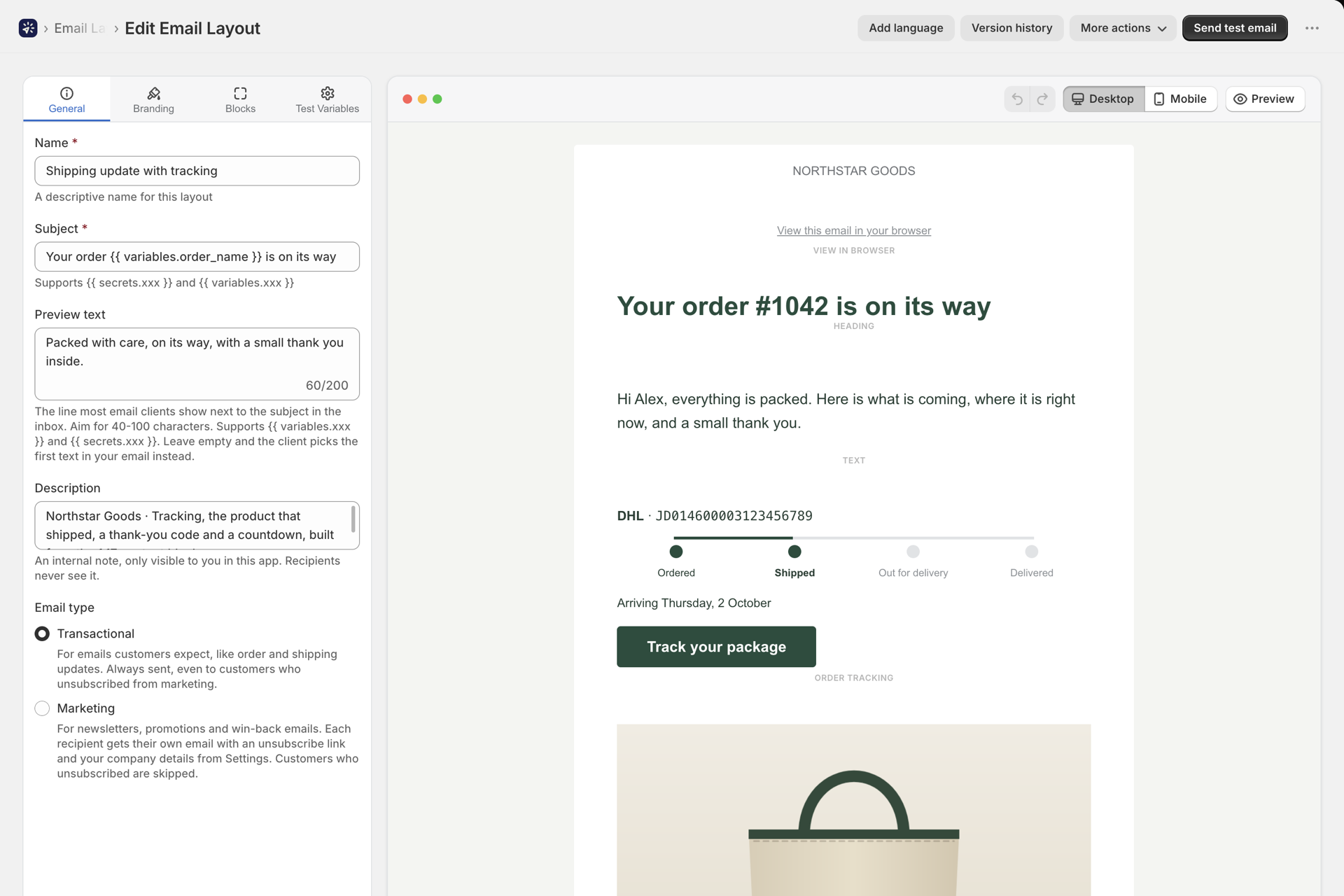
- Product card: image, title, description, price and button from your variables. Read in docs
- Product grid: two or three cards per row from a list variable. Read in docs
- Price with a struck-through compare-at price. Read in docs
- Discount code box, with a code you have or a unique single-use code created in your store for every email. Read in docs
- Live countdown, animated in the inbox, four styles. Read in docs
- Order tracking: carrier, tracking number and a progress bar that follows the shipment status. Read in docs
- Star rating from a number, with a link to your review page. Read in docs
- Testimonial: quote, author and photo. Read in docs
- Social links: a row of network icons. Read in docs
- Video: thumbnail with a play button, linked to the video. Read in docs
- Signature: photo, name and contact details. Read in docs
- Table for order facts or specifications, every cell takes a variable. Read in docs
- View in browser: a web copy of the email that was actually sent. Read in docs
- Columns, two to four side by side. Read in docs
- Show if: a section sent only when a condition on your variables is true. Read in docs
- Blocks made of parts: open a product card, discount box, testimonial, signature, video or tracking block and edit or hide each part with the full settings of that block. Read in docs
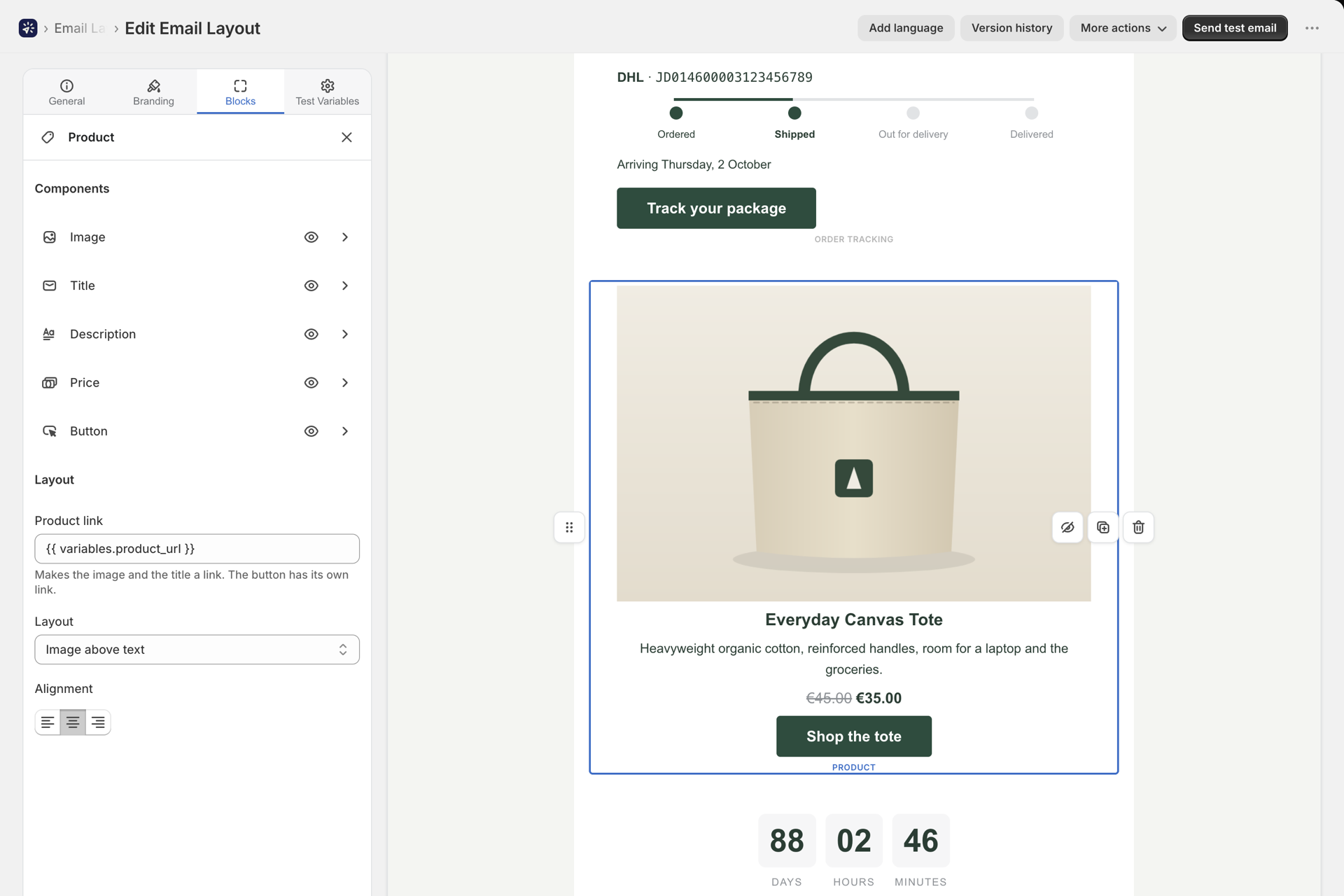
Attach the invoice from a metafield
- Attach a file from a metafield of the order or customer: the invoice PDF your invoicing app saves on the order, or a link to it, attached when the email is sent. Read in docs
- Shopify files and links both work; a list metafield attaches every entry. Read in docs
- In the visual builder: switch an attachment block's source to Metafield. Read in docs
- In rich text and HTML layouts: Add from metafield in the Attachments card. Read in docs
- Order and Customer fields on the Send Transactional Email and Send Marketing Email steps tell the step which order or customer to read. Steps added before this release need to be re-added to get them. Read in docs
- File name override with Liquid, for example
invoice-{{ variables.order_name }}.pdf. Read in docs - Empty metafield? The email waits until the file is there, or is sent without it when the attachment is optional. Read in docs
- Permissions page: the app still asks for nothing at install. Reading metafields and creating discount codes are granted in place and can be withdrawn at any time. Read in docs
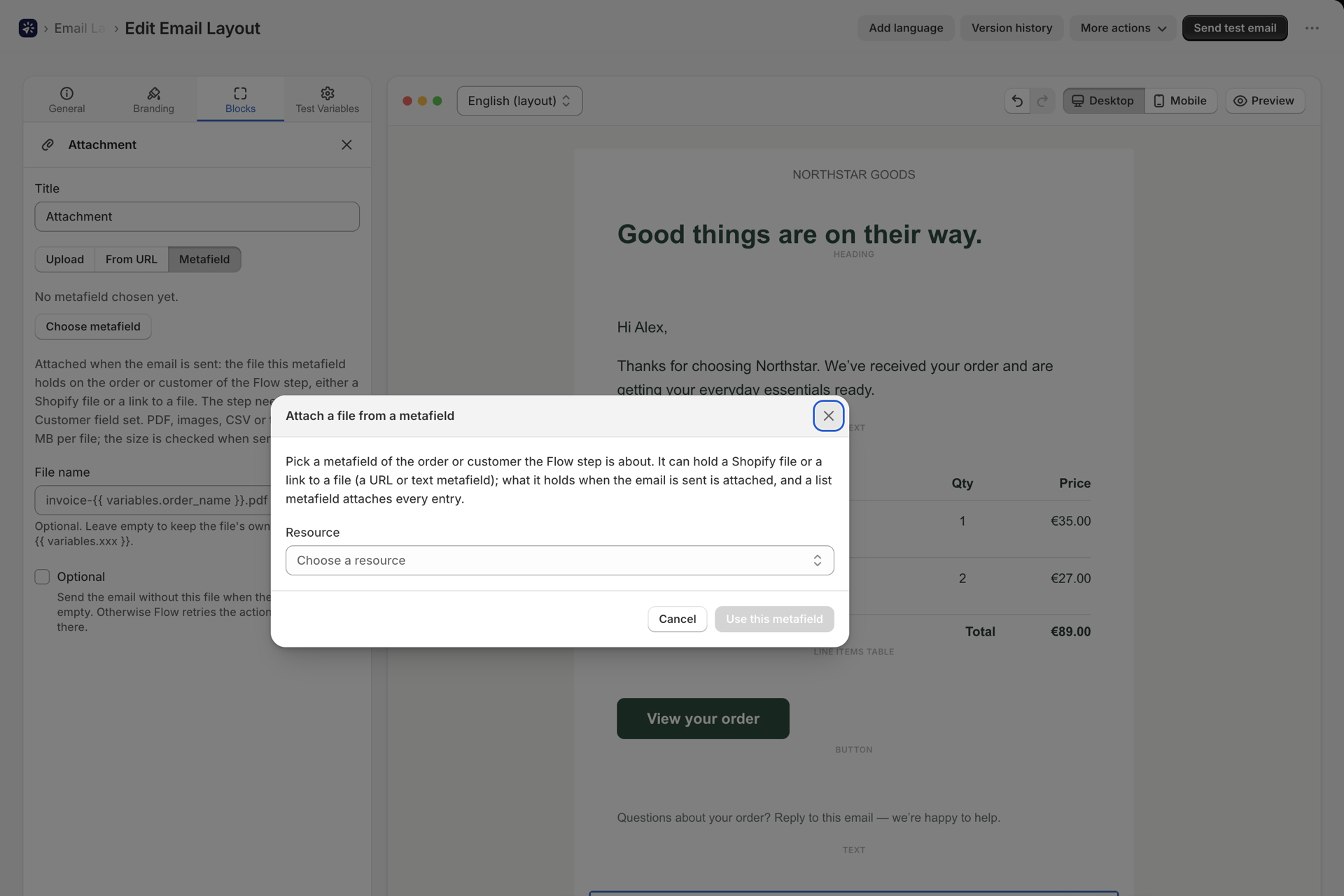
Marketing emails with unsubscribe
- Marketing layouts, a type you choose when creating a layout; every layout you have stays transactional. Read in docs
- New Flow action: Send Marketing Email. Your existing steps keep running unchanged. Read in docs
- One email per recipient with its own unsubscribe link, your unsubscribe sentence and company details in the footer, per language. Read in docs
- Unsubscribes page: customers who unsubscribed are skipped automatically; search, resubscribe, CSV export. Read in docs
- Shop-wide email defaults: CC, BCC, Reply-To, From name and test recipients, set once. Read in docs
- Brand colors in every color picker of the builder. Read in docs
- Sending health on the dashboard: broken links and images, sender problems, failure rate, unsubscribes. Read in docs
- History as CSV, with the filters you have set. Read in docs
- Header and footer presets per language, with a live preview. Read in docs
- Attachments per language on rich text and HTML layouts. Read in docs
- An alert when your mail server stops answering, after three connection failures in a row. Read in docs
- The new Shopify admin design, and a link to the matching guide at the end of every Flow step configuration page.
Everything above, in detail, in the release notes.
All five apps now speak your language
Workflow Transactional Email, Workflow Trigger Extensions, Workflow Webhooks, Workflow Functions and Workflow Suite follow the language of your Shopify admin. English, German, French, Spanish, Italian, Dutch, Danish, Portuguese (Brazil and Portugal), Japanese and Chinese (Simplified and Traditional).
- Every page, dialog and message, the settings and previews of our steps in Shopify Flow, and our workflow templates.
- Everyone on your team sees their own language: the app follows the preferred language in each person's Shopify account profile.
- The help centers are translated too, every guide, in the same languages: Transactional Email - Trigger Extensions - Webhooks - Functions - Suite
Trigger names and the fields inside Shopify Flow steps stay in English, because Shopify Flow shows them exactly as the app defines them. Your emails are never changed: to send customers an email in their language, add translations to a layout.
Release notes: Transactional Email - Trigger Extensions - Webhooks - Functions
Also new in the other apps
- Workflow Trigger Extensions: Monitoring. Watch any trigger and get one email when it goes quiet, when a workflow did not confirm, or when a failure needs you. Read in docs
- Workflow Webhooks: scheduled webhooks. Fetch any API every 5 minutes up to once a day and run a Flow workflow on the result. Read in docs
- Workflow Webhooks: seven ready-made workflows to import into Shopify Flow. Read in docs
Meet Workflow Suite, our fifth app
Our four apps extend Shopify Flow. Workflow Suite is something different: our own automation platform, with its own visual editor and its own engine. It brings together what the four apps do, in one place.
Pick what starts a workflow, add conditions and steps, test it on real data and turn it on:
- Nearly 300 triggers. Every Shopify event, plus triggers that know what changed: tags added, price decreased, status changed, back in stock, a metafield edited, with the value before and after. Schedules, incoming webhooks from other systems and storefront behaviour too. Read in docs
- Every Shopify Admin API mutation and query as a step, next to ready-made actions with simple forms. Read in docs
- Email, Slack, Teams, Discord, files over SFTP, HTTP requests and your own JavaScript in the same workflow. Read in docs
- Test before it touches your store. A preview run shows what every write would do without doing it, and a debugger steps through a run one step at a time. Read in docs
- 160+ templates to start from: order tagging, low stock alerts, fraud handling, reports, ERP sync. Read in docs
- Works with Shopify Flow in both directions. Send events from Workflow Suite to your Shopify Flow workflows, or start a Workflow Suite workflow from Shopify Flow. Nothing you have built so far is lost. Read in docs
- Hosted in the EU, like all our apps.
You pay for runs, not steps: a workflow with twenty steps costs the same as one with two, and test runs are free. There is a free plan with 1,000 runs every 30 days. Read in docs
See Workflow Suite - Build your first workflow - App Store
It is brand new, so your feedback shapes it more than anything else. If you try it, tell us what you built and what was missing.
The five Workflow apps
If you are not running all of them yet, here is what each one does. More detail on Our apps.
Workflow Suite - automate your store in a visual editor: every Shopify event, every Admin API action, email, files and code. Website - Documentation - Release notes
Workflow Trigger Extensions - 98 triggers Shopify Flow does not have natively, including your storefront, plus your own. App Store - Documentation - Release notes
Workflow Transactional Email - branded transactional and marketing emails and HTTP requests from Shopify Flow, in your customer's language. App Store - Documentation - Release notes
Workflow Webhooks - trigger Shopify Flow from any external system or on a schedule, and send a reply back. App Store - Documentation - Release notes
Workflow Functions - run your own JavaScript or TypeScript from Shopify Flow, on a schedule or from your ERP. App Store - Documentation - Release notes
If something is not working, or there is a trigger, block or action you wish existed, write to support@codecreationlabs.com. It reaches us directly.